
 03 April 2026
 Share
Share
1
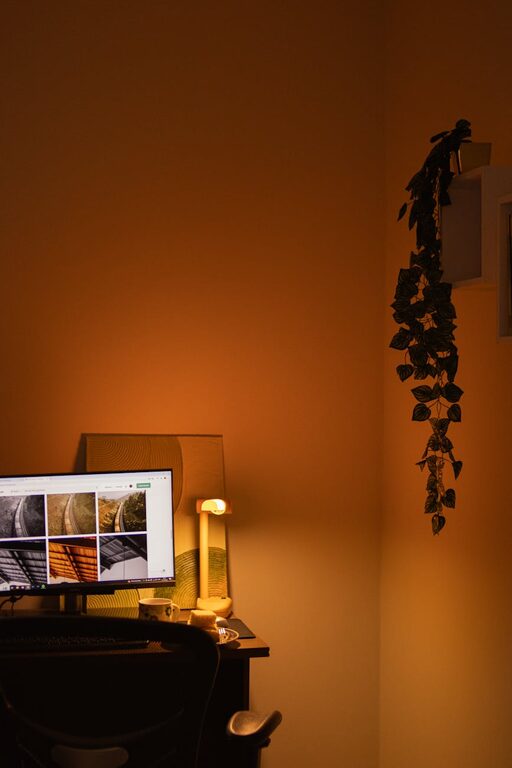
Creating a cozy and functional home office is essential for anyone working remotely or managing tasks from home. A well-designed space can increase productivity, reduce stress, and make your workday more enjoyable. Whether you have a dedicated room or a small corner, these tips will help you set up a home office that suits your needs and feels inviting.
Finding the perfect spot for your home office is the first step. Ideally, pick a quiet area with minimal distractions and enough room for your desk and equipment.
– Consider natural light: Position your desk near a window to benefit from natural light, which helps reduce eye strain and improves mood.
– Avoid high-traffic zones: Choose a space away from busy areas like the kitchen or living room to stay focused.
– Think about privacy: If you need privacy for calls or meetings, find a doorable room or use room dividers.
Comfort plays a crucial role in productivity. Investing in ergonomic furniture will protect your posture and keep you comfortable throughout the day.
– Ergonomic chair: Choose a chair with adjustable height, lumbar support, and padding.
– Functional desk: Pick a desk that fits your space and suits your workflow. Standing desks or adjustable desks offer flexibility.
– Additional seating: If space allows, consider adding a small sofa or armchair for breaks.
A clutter-free space promotes focus and creativity. Use organization tools to keep your desk tidy and essential items within reach.
– Storage solutions: Use shelves, filing cabinets, or under-desk drawers to store documents and supplies.
– Desk organizers: Keep pens, notebooks, and gadgets neatly arranged with desk trays or containers.
– Cable management: Use clips or sleeves to manage cables and avoid tangles.
Adding personal touches makes your workspace feel welcoming and motivates you to spend time there.
– Colors: Choose calming or inspiring colors that suit your taste—soft blues, greens, or warm neutrals often work well.
– Artwork: Hang pictures, prints, or motivational quotes that resonate with you.
– Plants: Incorporate greenery to improve air quality and add a natural touch.
– Lighting: Use a combination of natural light and task lighting, such as desk lamps or floor lamps, to reduce eye strain.
Ensure that your tech setup supports your work without causing frustration.
– Reliable internet: A strong, stable connection is essential for video calls and online tasks.
– Essential devices: Have a good quality computer, monitor, keyboard, and mouse.
– Headphones: Noise-cancelling headphones can help you focus and participate in virtual meetings without distractions.
To maintain work-life balance, set clear boundaries between work hours and personal time.
– Dedicated workspace: Avoid working from your bed or couch to mentally separate work from relaxation.
– Schedule breaks: Take regular breaks to stretch, hydrate, and refresh your mind.
– Signage: If you share your home, use signs or signals to indicate when you’re busy or available.
Your home office should adapt to your changing needs.
– Modular furniture: Use pieces that can be moved or rearranged easily.
– Multi-purpose areas: Consider a workspace that doubles as a guest room or hobby area when not in use.
– Adjust lighting and seating: Change settings depending on the time of day or activity.
A clean office space helps reduce distractions and promotes a calm atmosphere.
– Daily tidying: Spend a few minutes at the end of each workday to clear your desk.
– Deep cleaning: Regularly dust, vacuum, and disinfect surfaces.
– Air quality: Ventilate the room daily and consider an air purifier if needed.
—
By following these tips, you can create a home office that not only supports your work tasks but also feels cozy and personalized. Investing time and thought into your workspace setup will pay off in better focus, comfort, and overall satisfaction during your work-from-home experience.
