 03 April 2026
 Share
Share
1
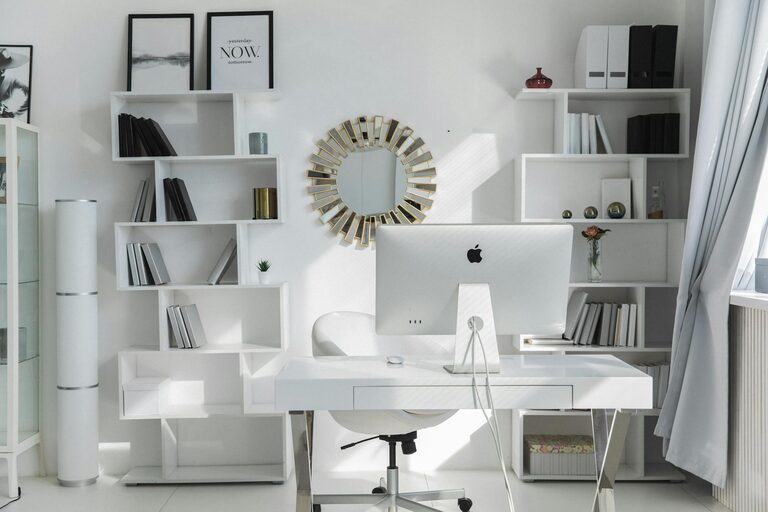
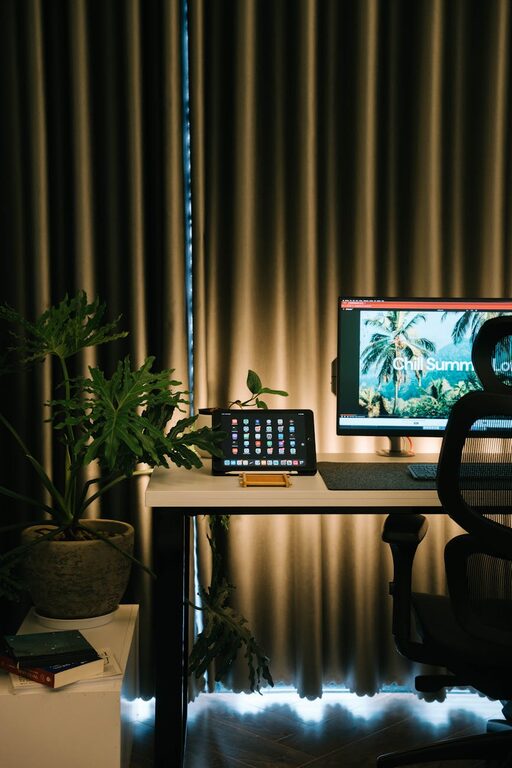
Creating a home workspace that feels cozy yet keeps you productive can transform the way you work. With many people spending more time working remotely, having a dedicated area designed to balance comfort and efficiency is essential. Whether you have a spare room or just a small corner, these tips will help you build a workspace that supports your best work while making you feel at ease.
A well-designed workspace improves focus, reduces distractions, and encourages healthy work habits. When your environment aligns with your needs, it’s easier to stay motivated and complete tasks. At the same time, comfort shouldn’t be overlooked—sitting at a desk all day in an uncomfortable chair or working in poor lighting can lead to fatigue and stress.
The goal is to create a space that invites you to work, minimizes strain on your body, and helps maintain a clear mind.
Start by selecting where your workspace will be. Consider these factors:
– Natural Light: A spot near a window provides daylight, which enhances mood and energy. Avoid glare on your screen by positioning your desk perpendicular to windows.
– Quiet Environment: Pick a place with minimal interruptions. If noise is unavoidable, consider noise-cancelling headphones or soundproofing options.
– Privacy: If possible, use a separate room or corner that feels separate from household activities.
Even a small nook can be optimized if it meets these basic requirements.
Good ergonomics helps prevent discomfort and health issues. Here’s how to set up an ergonomic workspace:
– Desk Height: Your desk should be at a height where your forearms are parallel to the floor when typing.
– Chair Support: Invest in an adjustable chair with lumbar support. Sit with feet flat on the floor and knees at about a 90-degree angle.
– Monitor Position: Place your screen so the top is at or slightly below eye level and about an arm’s length away.
– Keyboard and Mouse: Keep these close enough to avoid over-reaching, and consider using a wrist rest.
Regularly adjust your position and take short breaks to stand or stretch.
Adding personal touches makes your workspace inviting and uniquely yours. Consider:
– Colors: Choose calming or inspiring colors for your walls or desk accessories, depending on your preferences.
– Plants: Small plants help purify the air and add a refreshing feel.
– Art and Photos: Display pictures or artwork that lift your spirits.
– Lighting: Add a warm desk lamp to supplement natural light, especially for late-afternoon or evening work.
Remember not to clutter; keep decorations simple to avoid distractions.
A tidy workspace clears mental clutter. Here’s how to stay organized:
– Storage Solutions: Use shelves, drawers, or containers to keep supplies within reach but out of the way.
– Cable Management: Use clips or sleeves to keep cords neat and prevent tangling.
– Daily Declutter: Spend a few minutes at the end of each day tidying your desk.
– Digital Organization: Keep your computer desktop clean and use folders to organize files.
A clean environment makes it easier to focus and find things when needed.
Technology is essential but should support—not disrupt—your productivity.
– Reliable Equipment: Use a dependable computer, fast internet, and necessary peripherals.
– Dual Monitors: If you work with multiple applications, a second screen can improve efficiency.
– Headphones and Speakers: Use quality devices for calls and to reduce background noise.
– Smart Plugs or Timers: Automate lighting or remind you to take breaks.
Prioritize devices that help your workflow without adding distractions.
One challenge of a home workspace is separating work time from personal time.
– Designate Work Hours: Set and stick to regular working hours.
– Workspace Separation: Physically leave your workspace when done for the day to signal a mental shift.
– Communicate Boundaries: Let family or housemates know when you’re working and need privacy.
These habits support a healthy work-life balance.
Your workspace should inspire productivity daily.
– Incorporate a Vision Board: Add a board or notebook with your goals and motivational quotes.
– Change Your Setup: Occasionally rearrange your desk or try a standing desk alternative.
– Use a Timer: The Pomodoro technique (25 minutes work / 5 minutes break) can improve focus.
– Keep Hydrated and Snack Ready: Have a water bottle and healthy snacks nearby to keep energy steady.
Small habits make a big difference over time.
Designing a cozy and productive home workspace requires thoughtful attention to comfort, organization, and personal preferences. The right setup supports your work habits, encourages focus, and helps maintain balance. Start with your available space, add ergonomic furniture, keep it tidy, and make it a place you enjoy spending time. With these tips, you will create a home office that enhances your productivity and wellbeing.
—
Remember, your workspace is a reflection of your needs and style. Feel free to experiment and adjust until you find the perfect combination for your productivity and comfort. Happy working!